iOS trading journal Download

The best Tradervue alternative for iPhone traders

Tradervue has earned respect among active traders for its robust web-based journaling platform, detailed performance analytics, and comprehensive trade review capabilities. Many desktop-focused traders appreciate its depth of statistical reporting and community features. However, if you're an iOS-first trader who values instant mobile capture, on-device privacy by default, and a journal that surfaces the emotional and behavioral patterns behind your P&L, Mantis offers a complementary approach. Built exclusively for iPhone and iPad, Mantis prioritizes speed of entry, native iOS design, and psychology-aware insights—so you can log context in seconds after a trade closes, review patterns during your commute, and keep your data under your control. Whether you're supplementing Tradervue's web analytics or seeking a mobile-native alternative, Mantis delivers a journaling experience designed for the trader who lives on iOS.

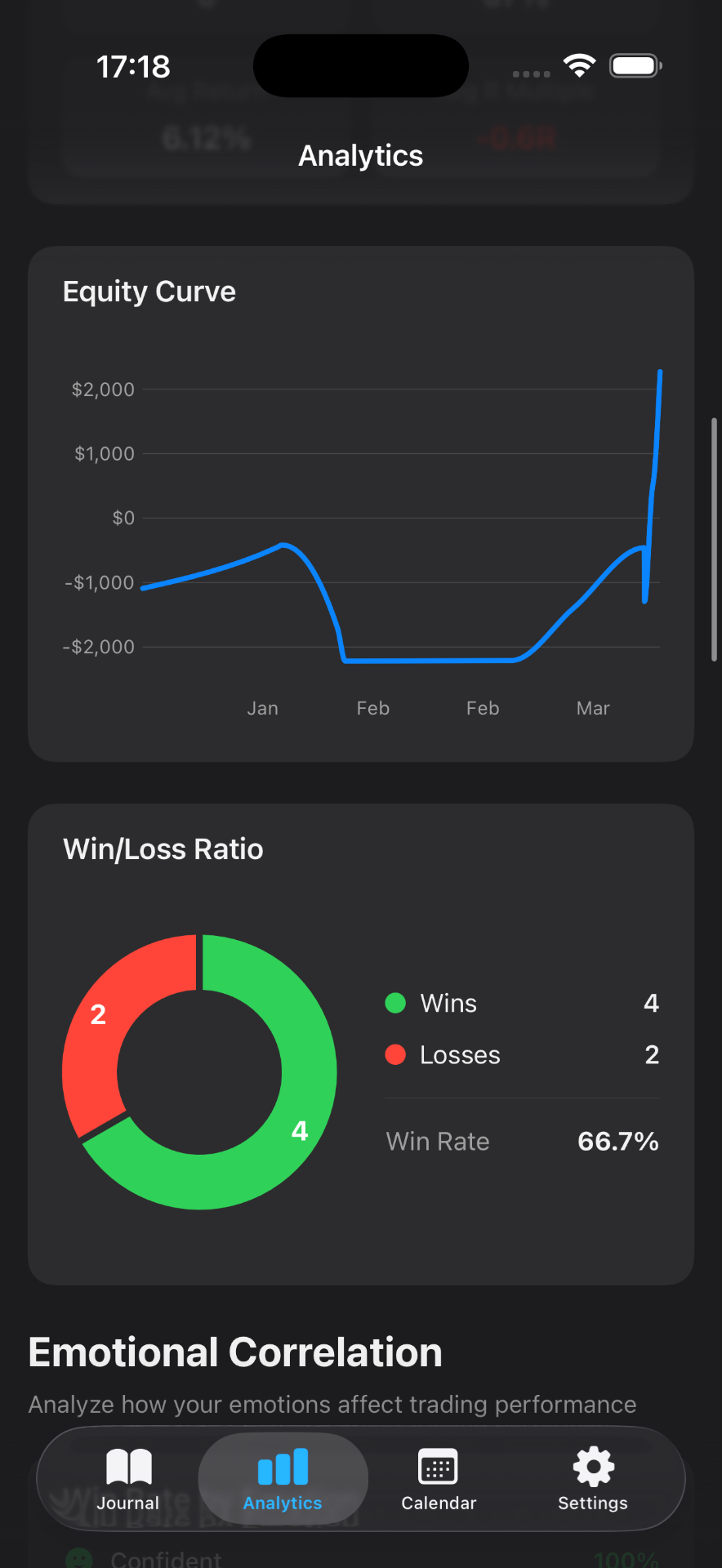
Mantis iOS journal — a Tradervue alternative showing live P/L on iPhone Mantis equity curve and performance charts in a Tradervue alternative

Mantis vs Tradervue

Feature Mantis Tradervue
iOS native app✓✗
On-device data storage✓✗
No account required✓✗
Free tier available✓Limited
Emotion & psychology tracking✓✗
Manual trade entry✓✓
Trade import✓ CSV (Premium) + IBKR✓
Works fully offline✓✗
Mobile-first UX✓✗
Download on theApp Store

Opens the App Store

Why traders switch to Mantis

Native iOS Experience, Not a Web Wrapper

Every screen in Mantis is crafted specifically for iPhone and iPad—fast launch, haptic feedback, offline-first architecture, and gesture navigation. No mobile-web compromises or responsive layouts; just an app that feels like it belongs on your device.

On-Device Privacy by Default

Your journal entries, tags, and emotion logs stay on your device and in your private iCloud account. No mandatory cloud sync to third-party servers, no login walls for basic journaling—your trading data remains yours.

Emotion & Behavior Tagging Built In

Beyond P&L and setup notes, Mantis prompts you to capture how you <em>felt</em> and what you <em>did</em> during the trade. Over time, the app surfaces which emotional states correlate with your best and worst outcomes, helping you build self-awareness that pure statistics can't reveal.

Rapid Entry for Active Traders

Log a trade in under 30 seconds with pre-configured tag lists, voice-to-text notes, and smart defaults. Mantis minimizes friction so you can capture context while it's fresh—no switching to a desktop browser or filling out complex web forms.

Visual Trade Timeline & Media Attachments

Attach screenshots of your chart setup, entry/exit markers, or even voice memos walking through your thought process. The timeline view stitches together your trades chronologically, making post-session review intuitive and visual.

Seamless Export & Interoperability

Export your journal as CSV or JSON for deeper analysis in spreadsheets, Python notebooks, or even other platforms. Mantis doesn't lock you in—your data flows wherever your workflow requires.

Frequently asked questions

Can I import my historical trades from Tradervue?

Yes, with Premium. Export a CSV from Tradervue and open Settings → Data & Integrations → Import Trades (CSV). Mantis detects the Tradervue format and previews the file, flagging duplicates, before saving. Emotion tags are not part of a Tradervue export, so you add those on later trades.

Does Mantis replace the statistical depth of Tradervue's reports?

Mantis focuses on mobile-native journaling and behavioral insights rather than exhaustive desktop analytics. Many traders use both: Tradervue for deep statistical dives on a large screen, Mantis for immediate mobile logging and emotion tracking. You can export Mantis data anytime to analyze it in your tool of choice.

Is my trading data synced to Mantis servers?

By default, Mantis stores your journal on-device and in your private iCloud account—no third-party cloud required. You control where your data lives, and you can export it anytime as CSV or JSON.

How does Mantis handle emotion and psychology tracking?

After each trade, Mantis prompts you to tag emotions (e.g., confident, anxious, FOMO) and behaviors (e.g., followed plan, overtraded, cut winner early). Over weeks and months, the app highlights which patterns correlate with your profitable and losing trades, giving you actionable self-awareness.

Can I use Mantis offline or on the go?

Yes. Mantis is offline-first—you can log trades, review past entries, and tag emotions without an internet connection. Changes sync to iCloud when you're back online, ensuring your journal is always up to date across your iPhone and iPad.

Important: Mantis is a trading journal and analytics tool. This page is not investment advice, not financial advice, and not a recommendation to buy or sell any security or instrument. Trading involves risk; past performance does not guarantee future results. Competitor feature information is provided in good faith and may change — verify current pricing and features on each product's official website before making a purchase decision.