Log AAPL Trades in Seconds
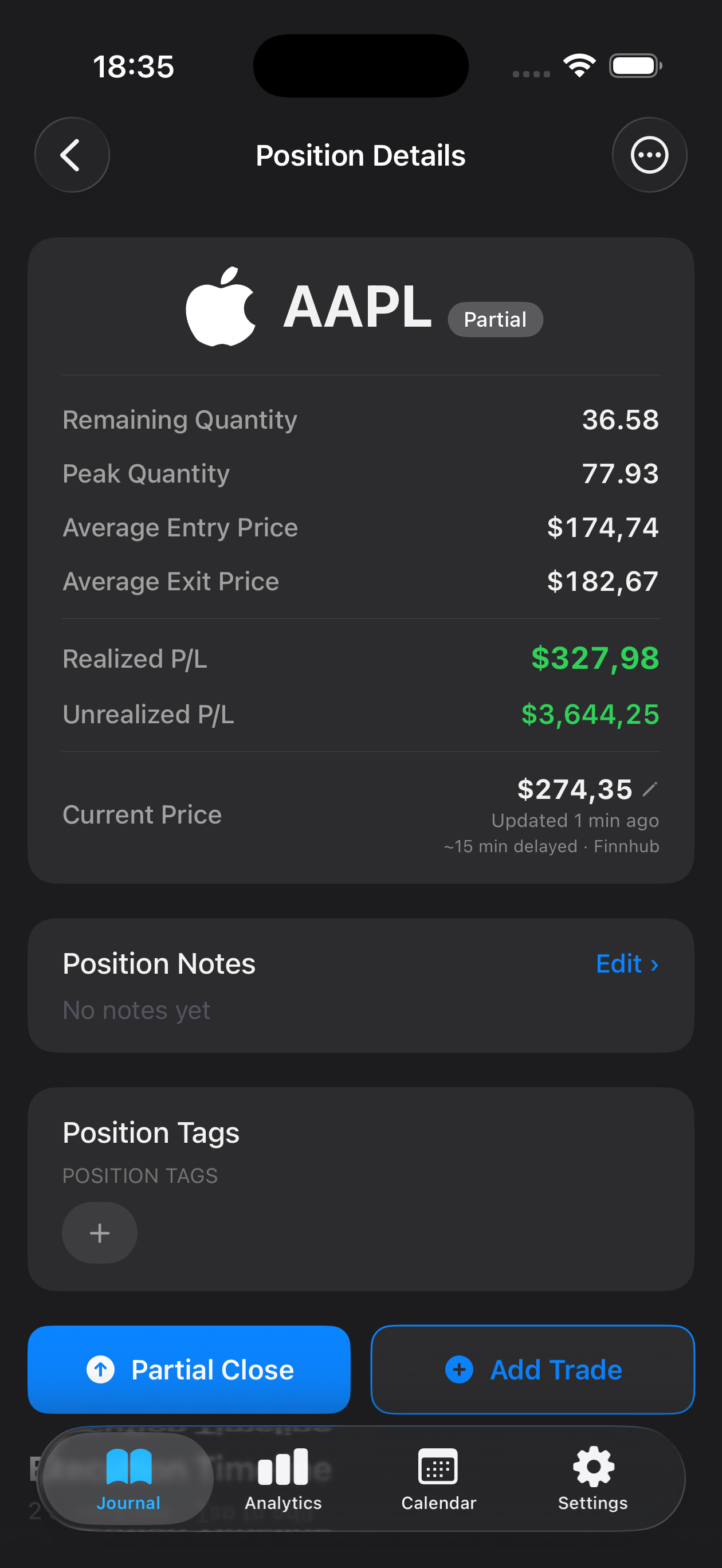
Quickly record entry price, exit, position size, and profit or loss—right after you close a trade, while the context is fresh.
Trading Apple stock requires discipline, speed, and clarity—especially when volatility spikes around earnings or product launches. Whether you're swing trading AAPL through major technical levels or day-trading intraday breakouts, keeping a detailed record of every entry, exit, and decision is what separates consistent traders from those who repeat costly mistakes. Mantis is built for iOS traders who need a fast, private way to log AAPL trades the moment they happen. Capture screenshots of your charts, note the catalyst behind each move, and review your performance over time—all stored locally on your iPhone, with zero cloud sync or external servers. Build the self-awareness that turns gut feeling into repeatable edge.

Opens the App Store
Quickly record entry price, exit, position size, and profit or loss—right after you close a trade, while the context is fresh.
Snap a screenshot of your AAPL setup and attach it to each trade entry, so you can visually review what you saw at the time of execution.
Mark trades by the pattern you traded—breakout, earnings play, support bounce—and filter your journal to see which AAPL setups work best for you.
Every trade, note, and screenshot lives only on your device. No cloud sync, no accounts, no external storage—total privacy for your trading data.
Scroll through your AAPL trade history, spot recurring mistakes, and identify the conditions where you perform best.
AAPL often moves on unique catalysts—product launches, services revenue updates, supply chain news. A dedicated journal helps you learn which Apple-specific events you read well and which ones fool you, so you can refine your edge over time.
Mantis stores all journal entries, screenshots, and notes locally on your iPhone. There is no iCloud sync, no cloud backup, and no external server. Your trading records never leave your device unless you manually export them.
Yes. You can filter your journal by symbol or tag to view statistics for your AAPL trades alone, making it easy to measure performance on this single instrument.
No. Mantis is a manual journal—you enter trade details yourself. This keeps your brokerage credentials secure and gives you control over exactly what you log and review.
You can note contract details, strike, expiration, and delta in the trade notes field. Mantis is flexible enough to journal any instrument type, as long as you manually record the specifics that matter to your strategy.
Important: Mantis is a trading journal and analytics tool. This page is not investment advice, not financial advice, and not a recommendation to buy or sell any security or instrument. Trading involves risk; past performance does not guarantee future results. Consult a qualified professional before making financial decisions.