iOS trading journal

Cryptocurrency Journal for iOS Traders

Cryptocurrency trading demands a disciplined approach to tracking volatile markets that never sleep. Unlike traditional assets, crypto operates 24/7 across decentralized exchanges, making it essential to log every trade with precise timestamps, entry and exit points, and the emotional context behind your decisions. Mantis is built for iOS traders who need a private, structured journal to capture trades across Bitcoin, Ethereum, altcoins, and DeFi protocols—without sending your data to the cloud. Every entry stays on your device, giving you complete control over your trading history while you refine your strategy in fast-moving digital asset markets.

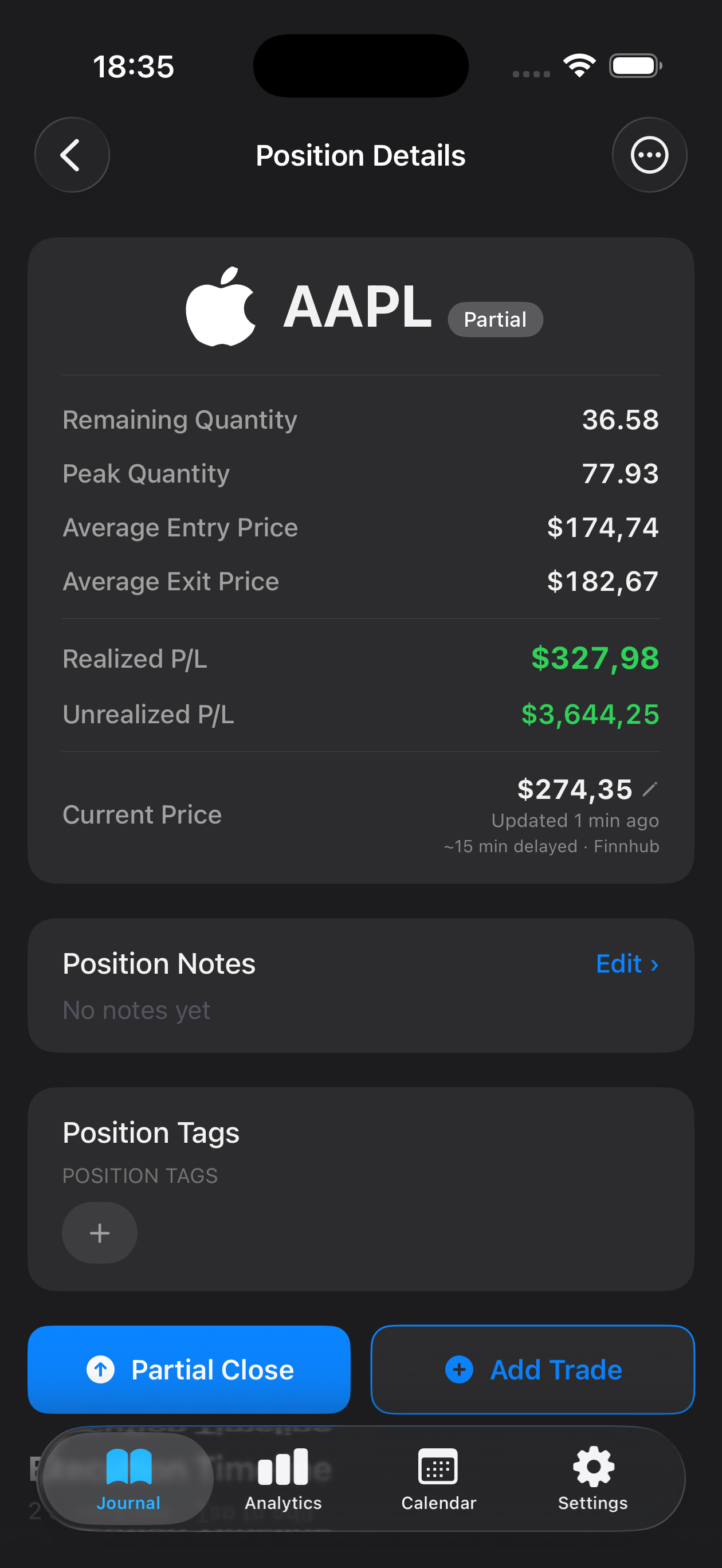
Mantis trading journal on iPhone — cryptocurrency setups tagged with live P/L Mantis position details with execution timeline and R-multiple tracking for cryptocurrency trades
Download on theApp Store

Opens the App Store

Why traders use Mantis

24/7 Trade Capture

Log cryptocurrency trades any time of day or night with quick entry forms that capture price, volume, exchange, and trading pair. Tag entries by coin type, market condition, or setup to spot patterns across different digital assets.

Volatility Context Notes

Record the market context for each trade—news events, on-chain signals, or sentiment shifts—so you can review what drove your decisions during high-volatility periods and refine your risk management.

Cross-Exchange Review

Compare performance across centralized and decentralized exchanges. Filter your journal by platform to identify where you execute best and where fees or slippage impact your results.

Emotional Pattern Tracking

Tag trades with your emotional state—FOMO, patience, panic—and review how psychology correlates with profit and loss in a market known for extreme price swings.

Privacy-First Storage

All trade data, notes, and images stay on your iPhone or iPad. No cloud sync, no third-party servers—your crypto trading history remains under your control, offline and secure.

Performance Statistics

View win rate, average gain/loss, and trade frequency over custom date ranges. Identify which coins, timeframes, or setups deliver consistent results and where your strategy needs adjustment.

Frequently asked questions

Can I track trades from multiple crypto exchanges?

Yes. Mantis lets you tag each trade with the exchange name and trading pair, so you can filter and compare performance across Binance, Coinbase, Kraken, Uniswap, or any platform you use.

How do I log trades that happen overnight or on weekends?

Crypto markets run around the clock, and Mantis is always ready. Enter trades immediately or backfill them later with custom timestamps to maintain an accurate chronological record.

Does Mantis store my trading data in the cloud?

No. All journal entries, charts, and statistics are stored locally on your device only. Mantis does not use iCloud sync or upload your data to any cloud service—everything stays private and offline.

Can I attach screenshots of charts or on-chain data?

Absolutely. Add images directly to each trade entry to preserve chart patterns, wallet transactions, or social sentiment—visual context that helps you remember the setup when you review later.

How does journaling help with crypto trading psychology?

By logging your emotional state and market context alongside each trade, you build awareness of FOMO-driven entries, panic exits, and patience-based wins. Reviewing these patterns helps you develop the discipline crypto markets demand.

Important: Mantis is a trading journal and analytics tool. This page is not investment advice, not financial advice, and not a recommendation to buy or sell any security or instrument. Trading involves risk; past performance does not guarantee future results. Consult a qualified professional before making financial decisions.