Manual entry, every time
Every trade means typing rows, copying formulas, and hoping you didn't fat-finger a cell. The friction means entries get skipped on busy days — exactly when journaling matters most.
Spreadsheets are powerful tools for tracking trades, and many traders build robust systems around them. But spreadsheets require discipline, manual formula updates, and live with the friction of switching between your broker and your laptop. Mantis brings your trading journal to your pocket with iOS-native speed, automatic emotion tagging, and on-device privacy. Log a trade in seconds, review your patterns without typing formulas, and understand your behavior—not just your P&L. Designed for traders who want to journal faster and think deeper.

Every trade means typing rows, copying formulas, and hoping you didn't fat-finger a cell. The friction means entries get skipped on busy days — exactly when journaling matters most.
Your spreadsheet lives on a laptop. By the time you're back at your desk, the emotion and context of the trade have faded. Mantis captures them on your iPhone in the moment.
Win rate, expectancy, R-multiple, and drawdown all have to be wired up by hand — and one broken formula quietly corrupts your stats. Mantis computes them automatically.
A deleted row, a bad paste, or a lost file can wipe months of history. On-device storage with export keeps your journal safe and portable.
| Feature | Mantis | a spreadsheet |
|---|---|---|
| Automatic metrics & charts | ✓ | ✗ |
| Native iOS app | ✓ | ✗ |
| Always with you (mobile) | ✓ | ✗ |
| No formula errors | ✓ | ✗ |
| Emotion & psychology tracking | ✓ | Manual columns |
| Log a trade in seconds | ✓ | Depends on setup |
| Backups & data safety | ✓ | Manual |
| Free to start | ✓ | Needs Excel/Sheets |
| Fully custom layout | Structured | ✓ |
Opens the App Store
A trading spreadsheet demands context-switching: leave your chart, open the file, fill rows, check formulas. Mantis lives on your iOS device with one-tap entry, quick-pick symbols, and smart defaults. Capture your trade while it's fresh—on the sideline or between orders—without breaking focus.
Spreadsheets excel at math but struggle with the human side of trading. Mantis lets you tag mood, setup type, and decision quality at log time. Review your patterns—how often fear stops you, which setups reward patience—without building custom pivot tables or pivot charts.
Spreadsheets live in the cloud by default (Google Drive, OneDrive, iCloud), shared with sync engines and hosting providers. Mantis keeps your trading data on your iOS device unless you choose to back up. No cloud login, no third-party access to your trades.
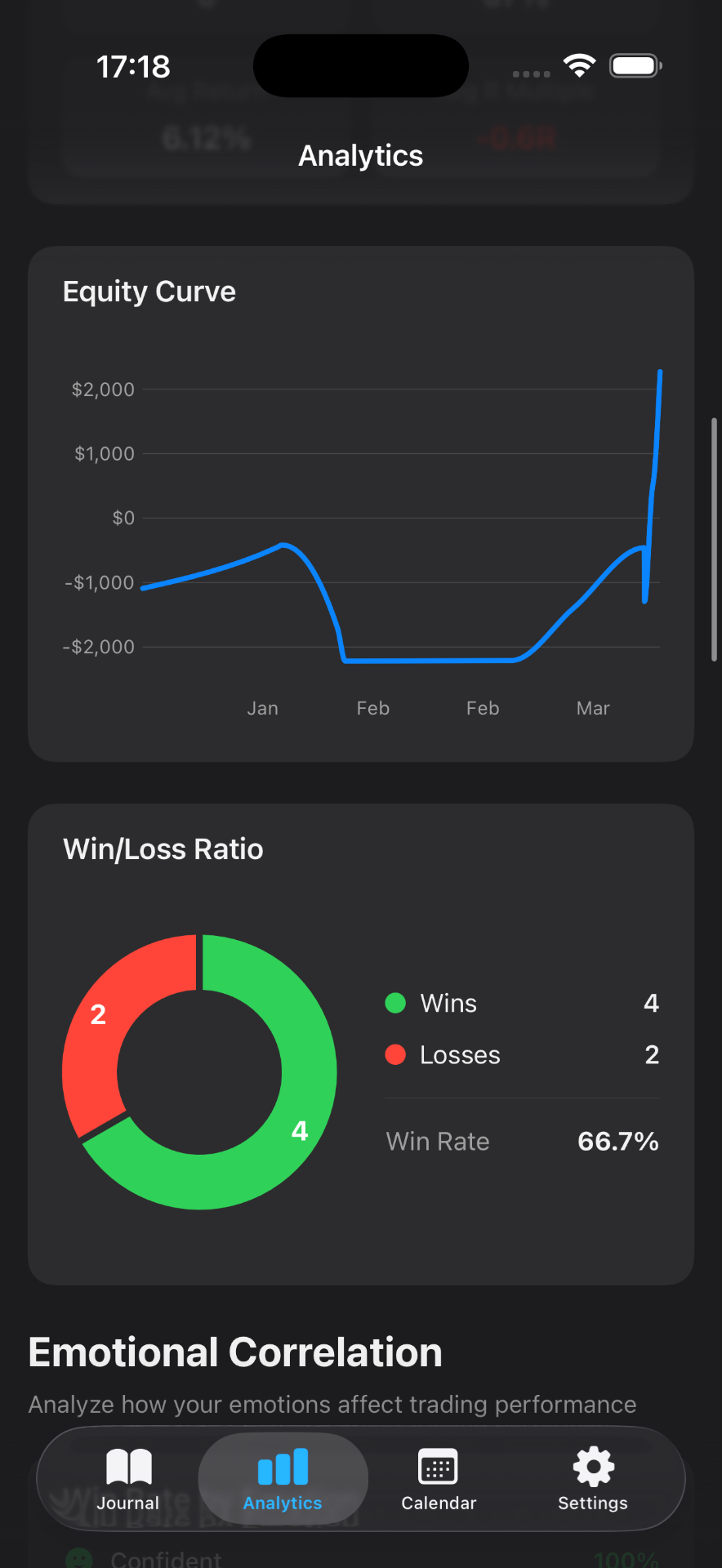
Spreadsheet stats demand manual charting or add-ons. Mantis shows win rate, profit factor, drawdown, and emotion trends in one view. Swipe through charts to spot what works—then drill into the trades behind each insight.
Switching doesn't mean losing your past. Mantis can import trades from a CSV export of your spreadsheet, so you carry your full trading record into the app. Start journaling in Mantis while keeping historical analysis intact.
Yes. Map your sheet to Mantis native columns (symbol, trade_type, execution_type, prices, quantity, dates, tags, emotion, notes) — or start from the free CSV / Numbers template — then use Settings → Data & Integrations → Import Trades (CSV). Mantis computes P&L from entries and exits; custom columns the app does not store will not import.
Yes. Download a CSV and Apple Numbers starter on the trading journal template page. This page is the product comparison (spreadsheet vs Mantis); that URL is the file.
Mantis supports CSV export of your trades, so you're never locked in. Export anytime to a spreadsheet, email, or backup for record-keeping or analysis in other tools. Your data remains yours.
Spreadsheets stored in Google Drive, OneDrive, or iCloud sync to cloud servers and are subject to those providers' terms. Mantis stores all data locally on your iOS device by default. Backups are optional and encrypted. You control where your trading data lives.
Mantis calculates standard journal metrics automatically—win rate, profit factor, average trade size, drawdown, and more. You won't build formulas, but you also won't maintain them. If you need highly specialized calculations, you can export to a spreadsheet for further analysis.
Mantis is a <em>journal and behavior tool</em>, not a backtesting platform. It excels at logging live trades, reviewing emotion and setup patterns, and spotting behavioral gaps. For rigorous strategy analysis, many traders use Mantis alongside backtesting software.
Important: Mantis is a trading journal and analytics tool. This page is not investment advice, not financial advice, and not a recommendation to buy or sell any security or instrument. Trading involves risk; past performance does not guarantee future results. Competitor feature information is provided in good faith and may change — verify current pricing and features on each product's official website before making a purchase decision.