iOS trading journal

Day Trading Journal for iOS Traders

Day trading demands precision, discipline, and a relentless focus on intraday price action. Whether you're scalping momentum plays, trading breakouts, or fading extremes, every decision happens in compressed time and carries immediate P&L consequences. Mantis is built for traders who need to capture setups, exits, and emotional states in real time—then review their execution when the bell rings. With local-only storage on your iPhone or iPad, your trade data, screenshots, and notes stay private and instantly accessible, giving you a structured way to refine your edge without relying on cloud services or third-party platforms.

Successful day traders don't just react to price—they analyze patterns in their own behavior. Mantis helps you log every entry and exit, tag trades by setup type or time of day, and surface the metrics that reveal whether you're following your plan or chasing noise. Over time, you'll see which setups yield consistent profits, which hours drain your account, and how emotions like FOMO or revenge trading show up in your results.

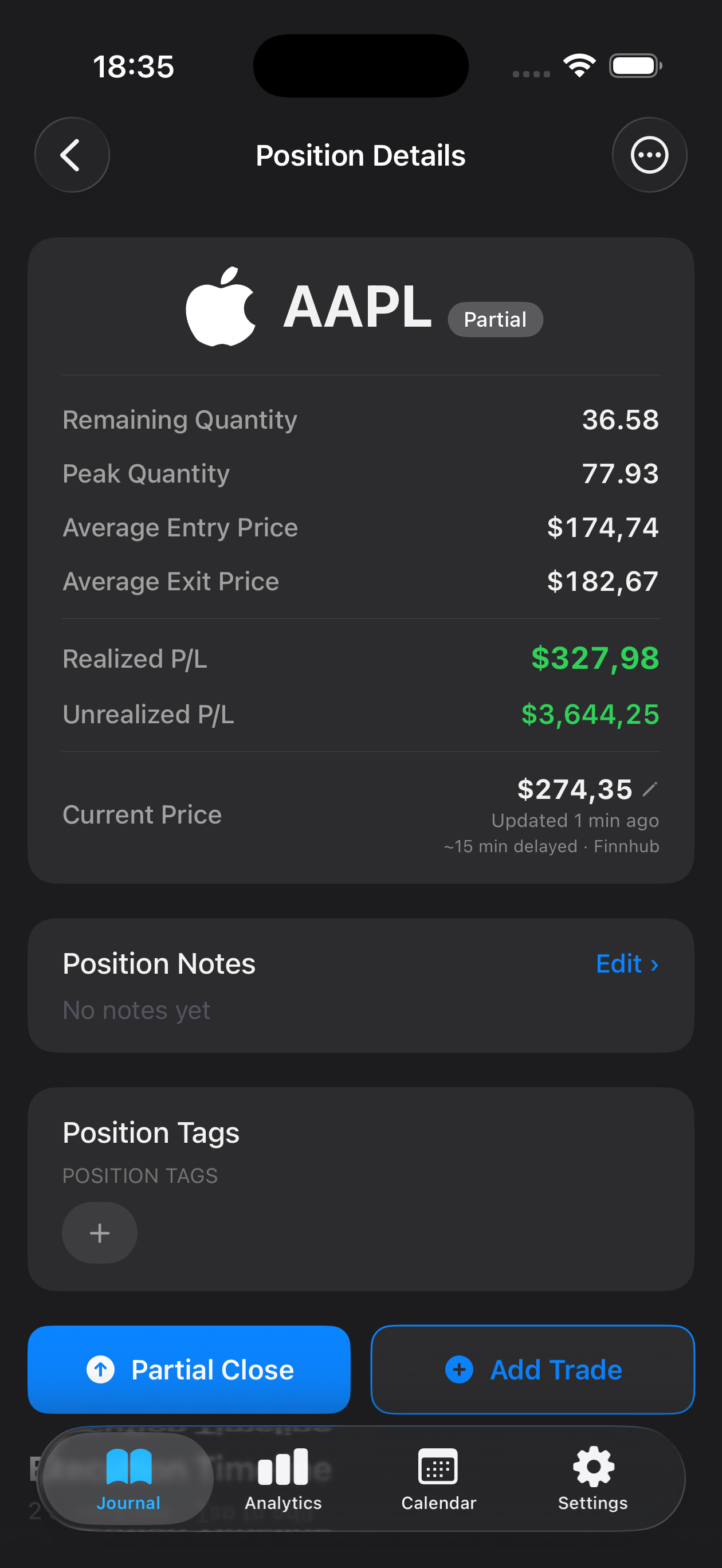
Mantis trading journal on iPhone — day trading setups tagged with live P/L Mantis position details with execution timeline and R-multiple tracking for day trading trades
Download on theApp Store

Opens the App Store

Why traders use Mantis

Log Trades the Moment You Exit

Capture entry price, exit price, size, and setup rationale while the trade is fresh. Attach screenshots of your charts or order flow, add voice memos during the session, and tag each trade by strategy—breakout, pullback, reversal—so you can filter and analyze later.

Track Time-of-Day Performance

Day trading profitability often clusters around specific market hours. Mantis lets you see win rate, average gain, and total P&L segmented by morning, midday, and power hour, helping you identify when you trade best and when you should step away.

Review Your Execution in Session Replays

After the close, scroll through the day's trades in sequence. Compare your actual entries and exits against your pre-market plan, note where you hesitated or over-traded, and write down one improvement for tomorrow's session.

Spot Over-Trading and Tilt Patterns

Mantis aggregates trade count, average hold time, and consecutive losses so you can see when volume spikes correlate with poor results. Recognizing tilt early—before it wipes out your morning gains—is a skill you build through consistent journaling.

Private by Design: Local Storage Only

Your trade journal lives exclusively on your device. Mantis does not sync to iCloud, does not upload to cloud servers, and does not share data with third parties. Your strategies, your P&L, your notes—completely offline and under your control.

Sync-Free Simplicity for Fast Sessions

No login, no account setup, no waiting for cloud sync. Open Mantis between trades, log your result, and get back to the market in seconds. Everything you need is already on your iPhone or iPad, ready when you are.

Frequently asked questions

Can I import trades from my broker automatically?

Mantis is designed for manual entry, which encourages you to reflect on each trade as you log it. This active process helps reinforce learning and keeps you engaged with your data rather than passively reviewing a CSV dump at month-end.

How do I track multiple accounts or strategies?

You can use tags and custom fields to separate cash versus margin accounts, or label trades by strategy (momentum, mean reversion, news fade). Mantis lets you filter and analyze any subset of your journal, so you can compare performance across contexts.

What if I take dozens of trades in a single day?

Mantis handles high-frequency logging. Many day traders jot down key details during the session—ticker, direction, outcome—then flesh out notes and attach screenshots during lunch or after the close. The app's search and tag system makes it easy to navigate large journals.

Does Mantis work offline, or do I need an internet connection?

Mantis works entirely offline. Because all data is stored locally on your device, you can log trades, review history, and generate reports anywhere—no Wi-Fi, no cellular data required.

How does local-only storage affect my workflow if I upgrade my phone?

When you migrate to a new device, you can transfer your Mantis data using iTunes or Finder backups (not iCloud). This keeps your journal under your control and ensures no trade data ever leaves your possession during the transition.

Important: Mantis is a trading journal and analytics tool. This page is not investment advice, not financial advice, and not a recommendation to buy or sell any security or instrument. Trading involves risk; past performance does not guarantee future results. Consult a qualified professional before making financial decisions.