Multi-week trade tracking
Log entry date, thesis, entry price, and initial stop—then review your rationale each time the trade reaches a milestone or update. Mantis stores everything locally so you can access your position notes anytime.
Position trading demands patience, conviction, and a clear record of your thesis over weeks or months. Mantis helps you document the setup, entry logic, and management decisions that define your longer-term trades—so you can review what worked, what didn't, and refine your approach over time.
Unlike day or swing trading, position trades require deep conviction and periodic check-ins. Keep all your notes, charts, and outcomes on your device, with no cloud dependency, so your trading data stays private and always accessible when you need to review a trade's full history.

Opens the App Store
Log entry date, thesis, entry price, and initial stop—then review your rationale each time the trade reaches a milestone or update. Mantis stores everything locally so you can access your position notes anytime.
Record how you exited (target hit, stop triggered, thesis broken), capture final profit/loss, and write notes on what you learned. Build a personal playbook of your position-trading patterns over months.
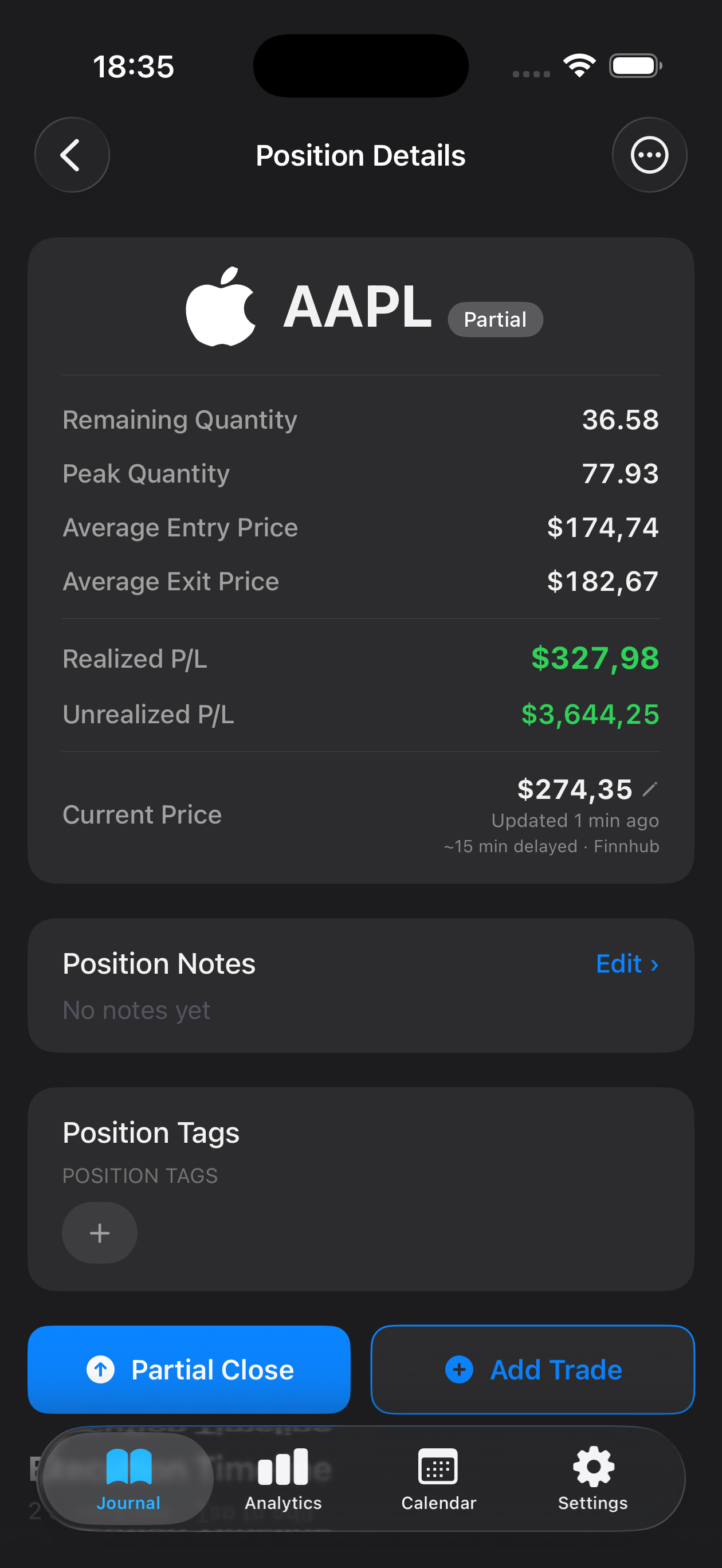
Document your setup criteria, time frame, and conviction level upfront. Then log each partial exit or adjustment, so you see how you managed the full lifecycle of a multi-week hold.
See win rate, average hold time, and profit factor across your position trades. Identify which themes or sectors align best with your strengths.
All journal entries, charts, and trade details stay on your device. No syncing to cloud services—your trading data is yours alone, always.
Enter your initial setup and entry details on day one, including your thesis and stop level. As the trade develops, use the edit and update features to log partial exits, adjustments, or thesis changes. When you close, record your final exit and outcome—Mantis keeps the full history in one place.
Yes. Mantis lets you attach images (screenshots of charts, setups, or reference points) directly to your journal entry. This helps you visualize the exact setup you identified when you entered the trade.
Your journal data is stored locally on your device. Mantis does not use cloud sync or iCloud backup. If you upgrade or switch devices, you'll need to manage your data transfer separately. Always keep backups of important trading records.
Review your stats regularly: win rate, average hold period, profit factor, and outcomes by sector or theme. Look for patterns in your winners vs. losers—entry triggers, hold duration, exit discipline—to refine your criteria and conviction rules.
You can organize and tag your trades by strategy, sector, or setup type, making it easy to review a category of trades. This helps you spot recurring patterns and identify which themes align with your strengths as a position trader.
Important: Mantis is a trading journal and analytics tool. This page is not investment advice, not financial advice, and not a recommendation to buy or sell any security or instrument. Trading involves risk; past performance does not guarantee future results. Consult a qualified professional before making financial decisions.