Multi-Day Trade Tracking
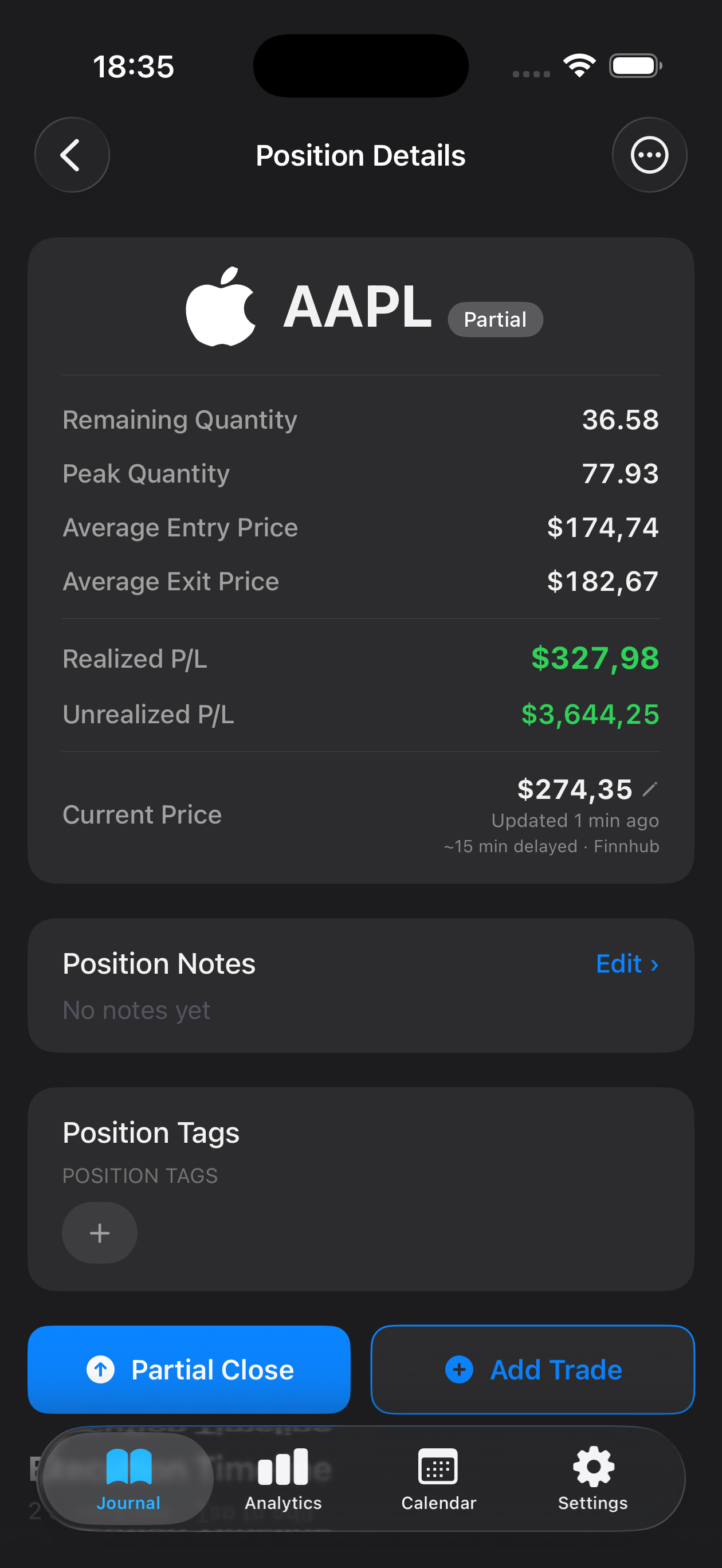
Log entries, exits, and partial fills across sessions; attach screenshots of daily charts to see how price action unfolded relative to your hypothesis.
Swing trading demands patience, technical precision, and the discipline to hold positions over days or weeks while markets fluctuate. Unlike day traders who close every position by the bell, swing traders capture intermediate price movements by identifying support and resistance levels, chart patterns, and momentum shifts. Mantis gives swing traders a private, device-only journal to document entry and exit rationale, track multi-day trade evolution, and review which setups consistently deliver results. Because your data never leaves your iPhone or iPad, you retain full control over your analysis, screenshots, and trade notes—no cloud accounts, no third-party servers. Whether you're trading equities, ETFs, or options around earnings catalysts and technical breakouts, Mantis helps you refine your strategy through structured reflection and performance insights.

Opens the App Store
Log entries, exits, and partial fills across sessions; attach screenshots of daily charts to see how price action unfolded relative to your hypothesis.
Tag trades by pattern (bull flag, ascending triangle, earnings gap) and catalyst type so you can identify which configurations yield the best risk-reward over time.
Review average hold duration and profitability by time frame to understand whether your edge strengthens on 3-day swings versus week-long positions.
Track stop-loss placement and R-multiples to ensure you're maintaining consistent position sizing even when conviction varies across setups.
All journal entries, charts, and statistics remain stored locally on your device—no cloud sync, no external backup, complete control over your proprietary insights.
Aggregate win rate, average gain, and drawdown metrics by week or month to spot whether recent market conditions favor your swing methodology.
Yes. Mantis lets you add images directly from your photo library, so you can document chart patterns at entry, mid-trade, and exit to review later how price action matched your thesis.
You can log each scale-out as a separate exit event or note within the trade record, preserving context for how you managed risk as the trade progressed.
No. Mantis stores all entries, tags, and analytics locally on your iPhone or iPad only—there is no iCloud sync or cloud backup, ensuring your trade history stays entirely private.
Yes. Use custom tags for setups like breakouts, pullbacks, or gap-and-go, then filter your history to analyze win rate and expectancy for each pattern family.
Mantis tracks entry, exit, and stop levels so you can compute R-multiples manually or review raw P&L; it does not auto-calculate risk-reward ratios but gives you the data to do so in your own workflow.
Important: Mantis is a trading journal and analytics tool. This page is not investment advice, not financial advice, and not a recommendation to buy or sell any security or instrument. Trading involves risk; past performance does not guarantee future results. Consult a qualified professional before making financial decisions.