A trading log is the factual record of your trades: date, instrument, direction, size, entry, exit, fees and P/L, the rows a broker statement shows. A trading journal is that log plus the decision: your setup, planned stop, emotion and a note. A log tells you what happened; a journal tells you why.
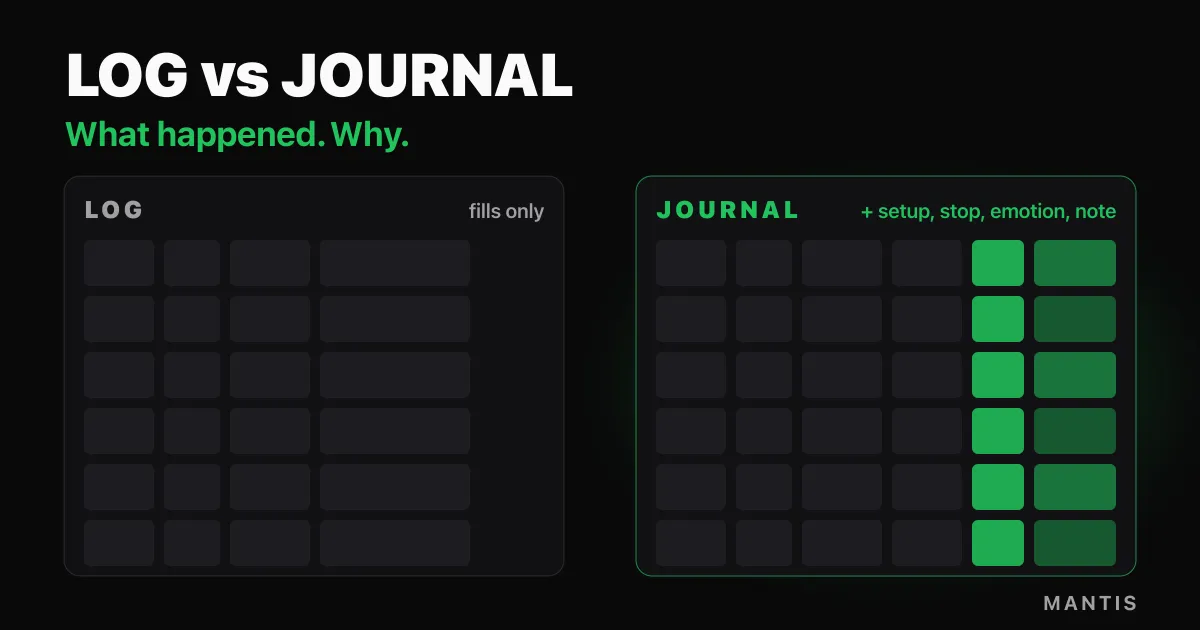
What is a trading log?
Your broker already keeps a trading log for you. A trade confirmation or a monthly statement lists every fill: when it happened, what you traded, which side, how many shares or contracts, the price, the commission and the realized profit or loss (P/L).
Every field in a log is a fact you can check against a confirmation. Nothing in it says why you took the trade.
Log vs journal: what's the difference?
A journal keeps every field of the log and adds the decision behind each trade. The table shows where the line falls.
| Field | Trading log | Trading journal |
|---|---|---|
| Date and time | ✓ | ✓ |
| Instrument | ✓ | ✓ |
| Direction | ✓ | ✓ |
| Size | ✓ | ✓ |
| Entry and exit prices | ✓ | ✓ |
| Fees and commissions | ✓ | ✓ |
| Realized P/L | ✓ | ✓ |
| Setup tag | – | ✓ |
| Planned stop | – | ✓ |
| Emotion at entry | – | ✓ |
| Note on the decision | – | ✓ |
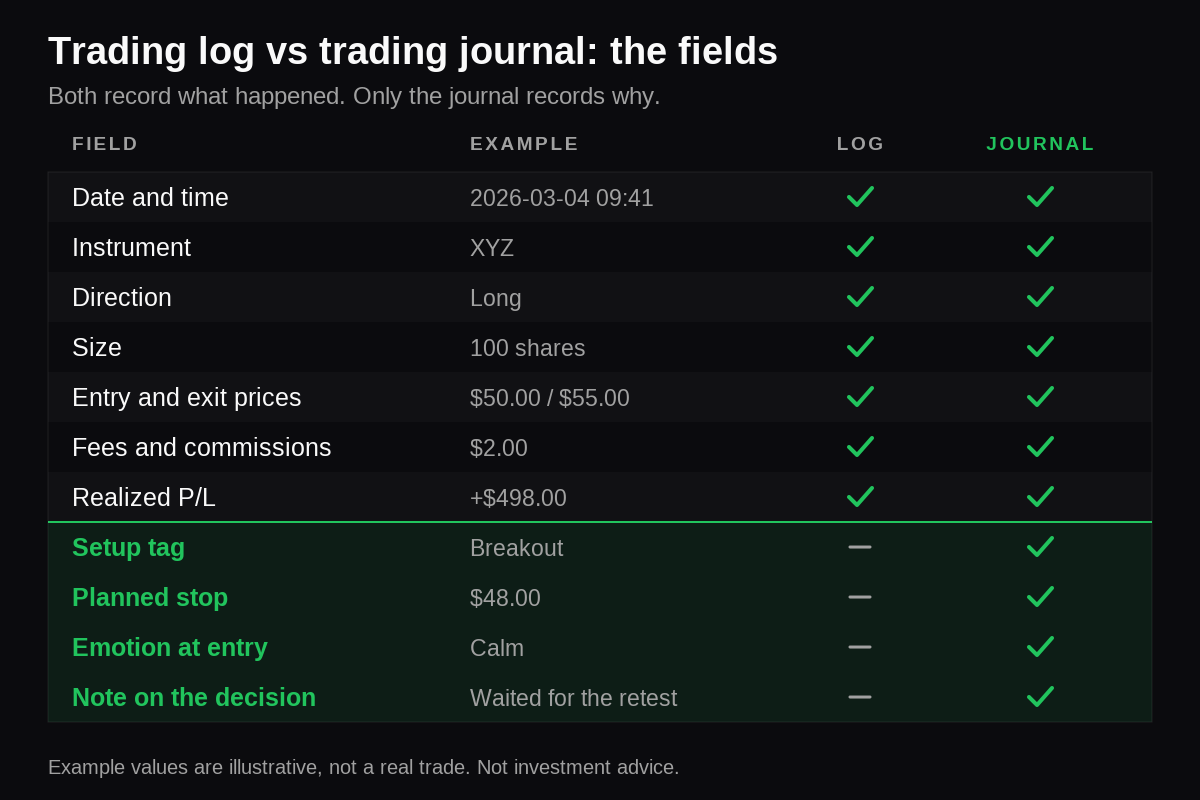
The two records answer different questions. From a log you can total March's P/L and commissions. Only a journal shows which setup made money and whether you kept to your stops.
For the full definition and an example entry, see what a trading journal is.
What should your log record?
A useful log (a broker export or your own sheet) has these fields on every row:
- Date and time of each execution, in one format such as 2026-03-04, so rows sort in order.
- Instrument: the ticker or contract symbol.
- Direction: long or short, buy or sell.
- Size: shares, contracts or units.
- Price of each fill.
- Fees and commissions. A strategy that wins before costs can still lose after them, and you'll only see that if the costs are on the row.
- Realized P/L, net of those fees.
Keep one row per execution, not one per round trip. Say you buy 100 shares, add 50 on a dip, then sell in 2 parts. As one round-trip row, that trade hides your average price and when you scaled, while separate rows let you rebuild the position and check whether adding helped.
What does a journal add on top of the log?
The journal layer is 4 short fields, written while the trade is fresh. Setup, stop and note matter most; emotion can wait until the habit sticks.
- Setup tag. The name of the pattern you traded, such as breakout or VWAP bounce, so you can group trades by setup later.
- Planned stop. The price where you'd be wrong, set before entry. With it, every result becomes an R-multiple: the profit or loss divided by the risk you planned. Buy at $50 with a stop at $48 (illustrative prices) and you're risking $2 a share, so selling at $55 is +2.5R.
- Emotion. One word for how you felt when you clicked: calm, anxious, FOMO.
- Note. One line on why you took it, written at entry. Add what you'd change after you close.
A month later the statement will still show the fills, but it won't show that you moved the stop or chased the open. If you don't write the decision down at the time, it's gone.
Do you need both?
Every journal contains a log, so the choice is whether to add the journal layer.
- A log is enough if you invest for the long term, trade a few times a year, and your questions are about returns and costs.
- You need a journal if you trade actively and keep breaking your own rules, or can't explain a losing month. The log shows the loss but not the decision behind it.
Keep the log either way. The IRS says an asset's basis is generally what you paid for it, and how long you held it decides whether a gain or loss is short- or long-term (IRS Topic 409). Dated records of every buy and sell make that easier at tax time, though this page isn't tax advice.
Turn your log into a journal with 3 extra fields
You don't have to start over. Keep the log you already have and add 3 columns: setup, planned stop and a one-line note.
| Version | What the row holds |
|---|---|
| Before (log) | 2026-03-04 · XYZ · Long · 100 · $50.00 → $55.00 · fees $2.00 · +$498.00 |
| After (journal) | 2026-03-04 · XYZ · Long · 100 · $50.00 → $55.00 · fees $2.00 · +$498.00 · Setup: Breakout · Planned stop: $48.00 · Note: Waited for the retest; sold into the prior high |
The after row shows what the before row can't: the trade made +2.5R on a Breakout, and the note records how you handled it.
You don't need to retype the fills. Export them from your broker as a CSV file and type only the 3 new columns.
Where Mantis fits
If you'd rather keep both layers on your iPhone, Mantis logs every execution (entry, scale-in, partial close and full exit) with its stop loss and notes, and each position carries a strategy tag and an emotion tag. The emotions are Confident, Anxious, FOMO, Revenge Trade, Calm and Overconfident, and logging them is free.
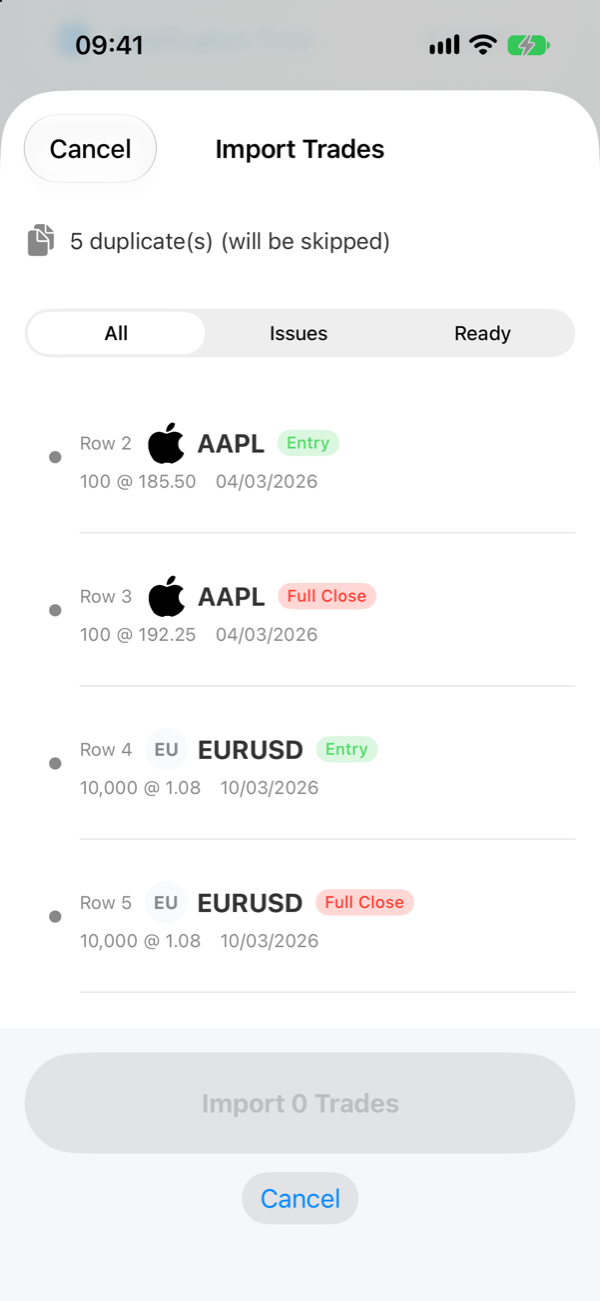
To bring in a past log, CSV import (Premium) reads 4 formats: Mantis's own export, TraderSync, Tradervue and Interactive Brokers. IBKR trades can also come in through a Flex Query you set up. There's no automatic sync with any other broker.
The free tier covers 10 trades a month. Premium is $4.99 a month or $29.99 a year in the US with a 7-day free trial, and prices vary by region.
Mantis needs iOS 18 or later. All data lives on your device. No account, no cloud sync.
Opens the App Store
Paper, spreadsheet or app for your log?
Paper costs nothing and takes no setup. You can't sort or total it, though, so reviewing a month means adding up rows by hand.
A spreadsheet sorts, filters and totals, and a broker CSV pastes straight in. Formulas break, and it's awkward on a phone. The free trading journal template has the log columns and the journal columns ready to fill in.
An app lets you log on your phone at the moment you trade and does the totals for you. Many charge for the full feature set, and you work within the fields the app gives you. To weigh the options side by side, see trading journal apps compared.
Frequently asked questions
What is a trading log?
A trading log is the factual record of your trades: the date and time, instrument, direction, size, entry and exit prices, fees and realized P/L of every execution. It records what happened, not why you did it.
What is the difference between a trading log and a trading journal?
A trading log records the fills. A trading journal keeps those fills and adds the decision behind each trade: the setup, the planned stop, your emotion and a short note. The log tells you what happened; the journal tells you why.
Is a broker statement a trading log?
Yes. A broker statement or trade confirmation lists your fills, fees and P/L, so it works as a trading log. It isn't a journal, because it has no record of your setup, your planned stop or why you took the trade.
Do I need both a trading log and a journal?
Every journal already contains a log, so you need the log either way, including at tax time. Add the journal layer if you trade actively and want to know which decisions make money. A long-term investor who trades a few times a year can usually stop at the log.
Is there a trading log app for iPhone?
Yes. Mantis is a trading journal app for iPhone (iOS 18 or later) that logs every execution and lets you add a strategy tag, an emotion and notes to each position.
Sources
- Internal Revenue Service. Topic no. 409, Capital gains and losses. IRS.gov (basis and holding period).
- Mantis (checked 2026-11-04). Trading Journal: Mantis. App Store listing (features, tiers, iOS 18 requirement, IBKR Flex Query import).
- Mantis. Mantis trading journal template (CSV). getmantis.app (native CSV columns, header row checked 2026-11-04).